The City of Pasadena awarded their Fiber Manager implementation to UDC earlier this year. The project kicked off at the end of May 2019, and UDC successfully completed the project with Fiber Manager and Wavepoint “Go-Live” in November 2019.
Pasadena Water and Power, a not-for-profit public service company owned and operated by the City, provides electricity to more than 65,000 customers within Pasadena, CA. They also deliver water to approximately 38,000 homes and businesses in Pasadena and surrounding communities in the San Gabriel Valley.
Project Scope
The scope of work involved converting City of Pasadena’s Enghouse NetDesigner based fiber network database to Schneider Electric ArcFM Fiber Manager, implementing all Fiber Manager tools including Fiber Schematics. In addition, the Schneider Electric Wavepoint web application that consumes and displays the Fiber Manager data was included in the project.
UDC also performed end user training and administration level training as part of the scope of work.
Converting Enghouse NetDesigner data to Fiber Manager required a complex data mapping exercise followed by Fiber Manager configurations specific to City of Pasadena requirements, such as enabling attachments to individual Fiber Manager feature classes and associating Fiber Optic Cable to Conduit Section in the Electric Dataset.
Fiber Manager Toolset
The full set of Fiber Manager tools was implemented at the City for this project. Utilizing Fiber Manager, desktop users can map, plan, design and manage their fiber optic network.

Enghouse Connection Details
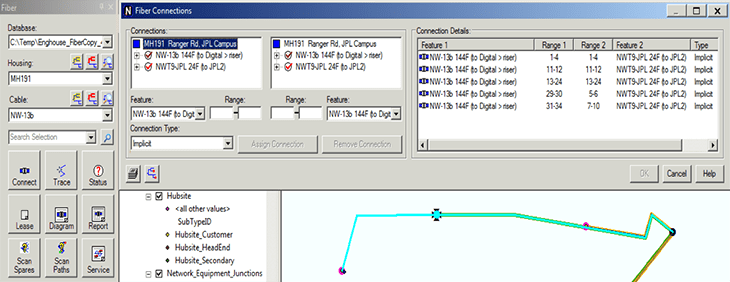
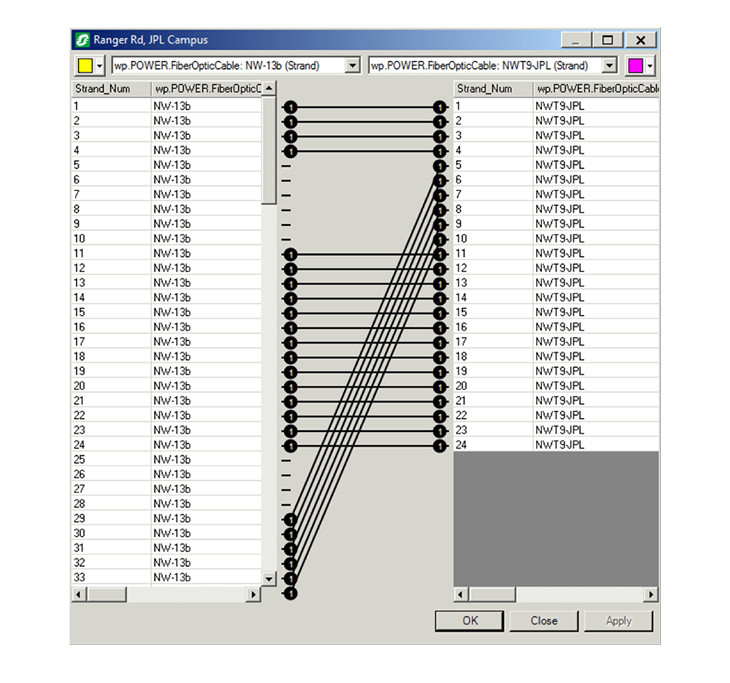
The most complex and time-consuming effort of establishing fiber strand level connection in Fiber Manager exactly as-is in Enghouse NetDesigner was achieved with 100% accuracy, including Fiber Trace and OTDR Trace.
Enghouse software is used to view the existing connection details and the same is established in Fiber Manager. The below illustration shows the connection details at a splice point.
Fiber Manager Connection Details match exactly as in Enghouse (below).
Enabling Wavepoint Functionality
The Wavepoint web application consumes Fiber Manager data and works on top of ArcGIS Server. The UDC team implemented Wavepoint and enabled all Wavepoint functionality for the City. Wavepoint application tools allow the user to securely access their fiber optic network from any location and easily display it in great detail.
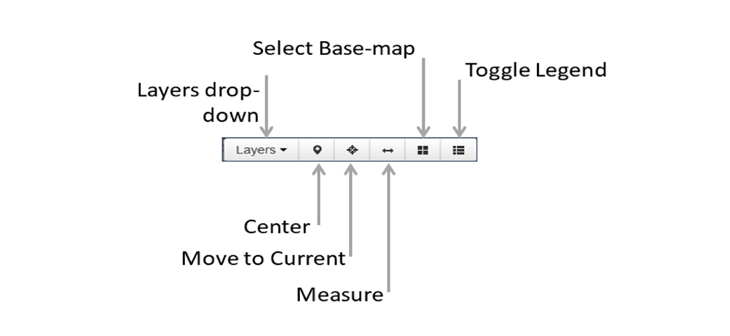
Wavepoint displays details of the fiber network to users in a number of ways.
Wavepoint provides three tabs when a splice point is located: Details, Circuits, and Cables.
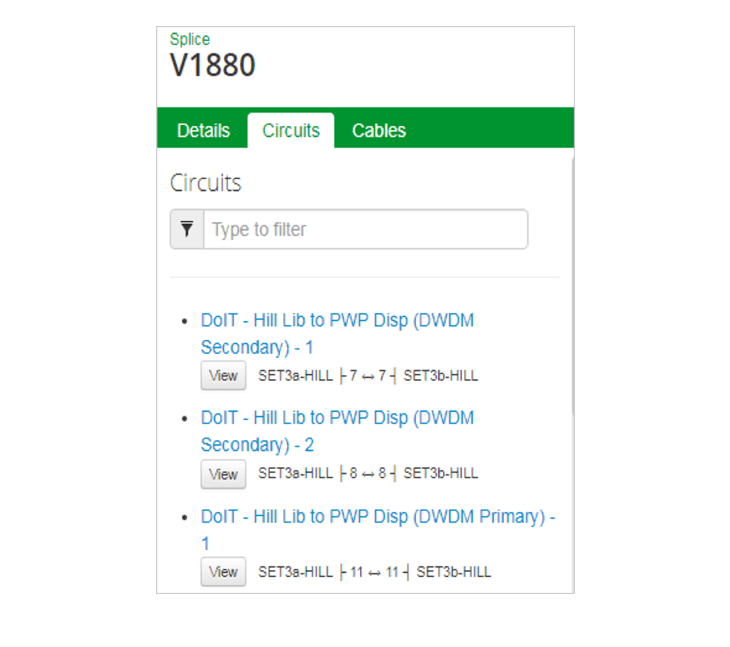
Users can click on a specific fiber (circular ring) in Wavepoint, and the fiber strand level connection details at a splice point can be viewed.
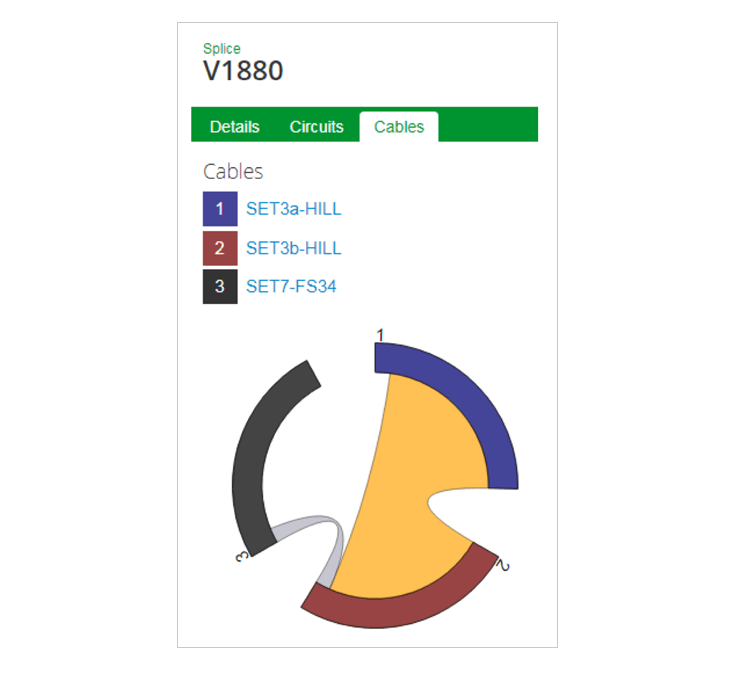
Users can view fiber strand level connection details at a splice point within Wavepoint.

Additional Tracing Capabilities
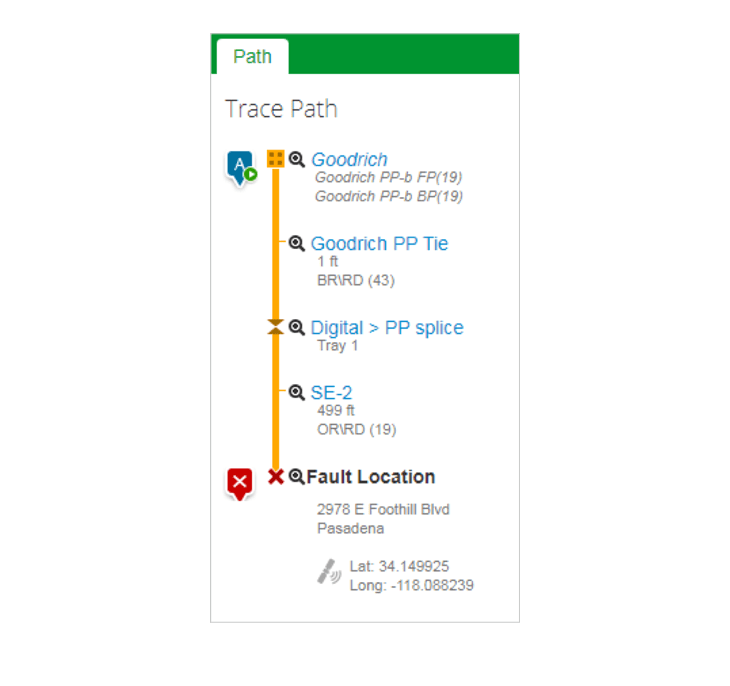
The UDC team configured Fiber Trace and OTDR Trace in Wavepoint as well providing additional capabilities.