
I have been working with ArcFM for years, and I have found that the out of the box ‘Trace All Feeders’ usually works great. There are some instances, however, for which the standard tool is not a fit. When it doesn’t work, it can be quite the headache to do the necessary trouble shooting that it takes to determine what is going wrong. There is no real helpful logging to assist in determining what is going on, and it doesn’t continue on when there is an issue that isn’t really a known issue.
As I was working on UDC’s Enterprise GIS project for our client in Hawaii, I came across yet another situation where things were not behaving properly with the standard Trace All Feeders tool. As such, I took the time to write a custom UDC Trace All Feeders tool that provides much better logging for when things go right and, more importantly, helpful logging for when things go wrong.
Content Overview

UDC Trace All Feeders Tool Capabilities
The UDC tool provides the following capabilities:
Initialize Electric Trace Weights
The UDC tool utilizes the out of the box auto-updater to initialize electric trace weights for all features in the selected network. This is slower than the out of the box initialize trace weights when there is no geometric network present and the feature classes are not registered as versioned. That out of the box tool uses SQL queries to update the features. The benefit of using initialize electric trace weights is simply the logging and the fact that it can be chained with the Trace All Feeders functionality, so it can easily be executed over the weekend with the ‘Trace All’ command.
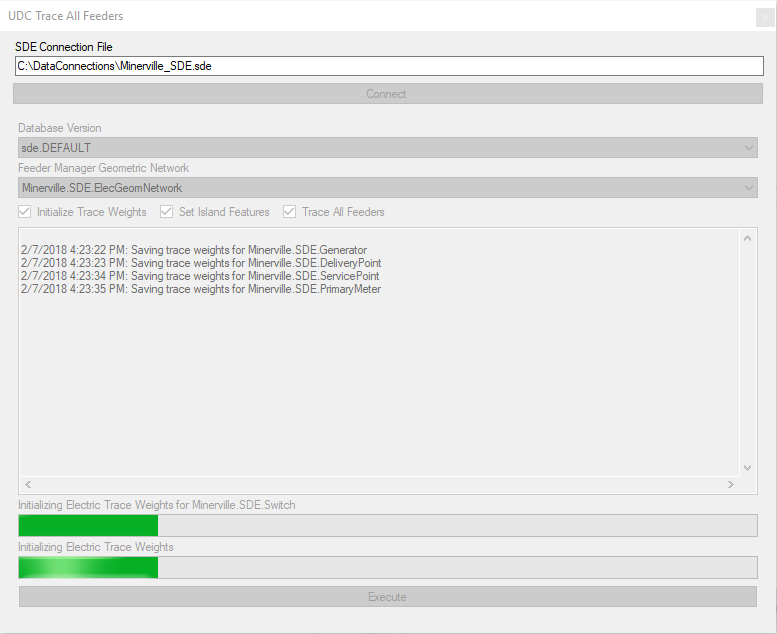
The Initialize Trace Weights command of the UDC Trace All Feeders tool provides the following functions and reporting:
- Obtains a list of all features classes within the geometric network selected
- Reports to the log if any feature classes do not contain the MMElectricTraceWeight field to identify issues quickly
- Executes the out of the box electric trace weight autoupdater
- Reports an error for any feature that failed to have its trace weight updated
Trace All Feeders
The UDC Trace All Feeders tool utilizes the out of the box functionality for performing the actual trace function that populates the feeder ID fields but does a lot of pre-checks and logging to be able to identify any issues that are encountered that may cause a problem or that did cause a problem during the execution.
The customized UDC Trace All Feeders command performs the following functions and reporting:
1) Determines the list of valid circuit source rows for the selected geometric network. Errors are reported if the following is encountered for any feeder IDs and those feeders are not traced:
- Circuit source rows that have a null feeder ID specified
- Circuit source rows that have duplicate feeder IDs specified in multiple circuit source rows
- Circuit source rows that do not have a valid related feature
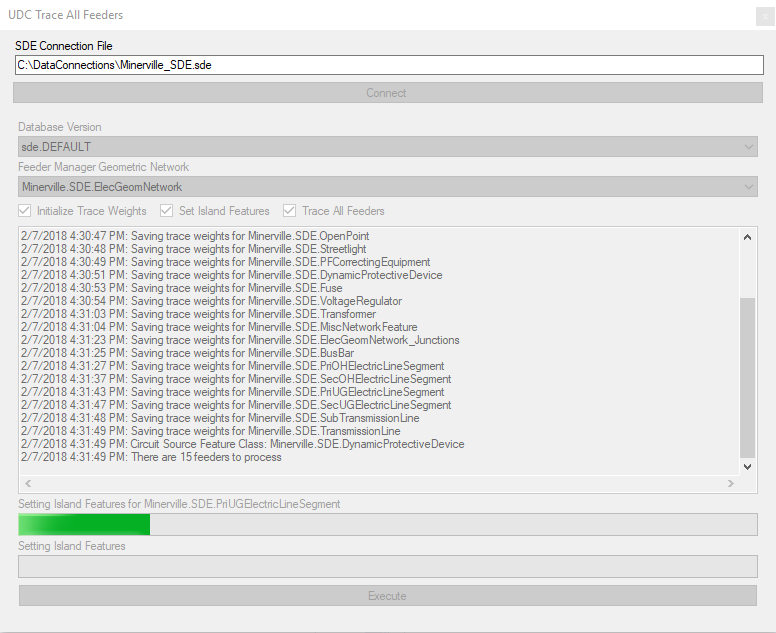
2) Updates all features to island features before beginning tracing of feeders
- Reports to the log if any feature classes do not contain the FeederID, FeederID2, or FeederInfo fields to identify issues quickly
- Updates FeederID and FeederID2 values to null
- Updates FeederInfo field to 8, indicating an island feature
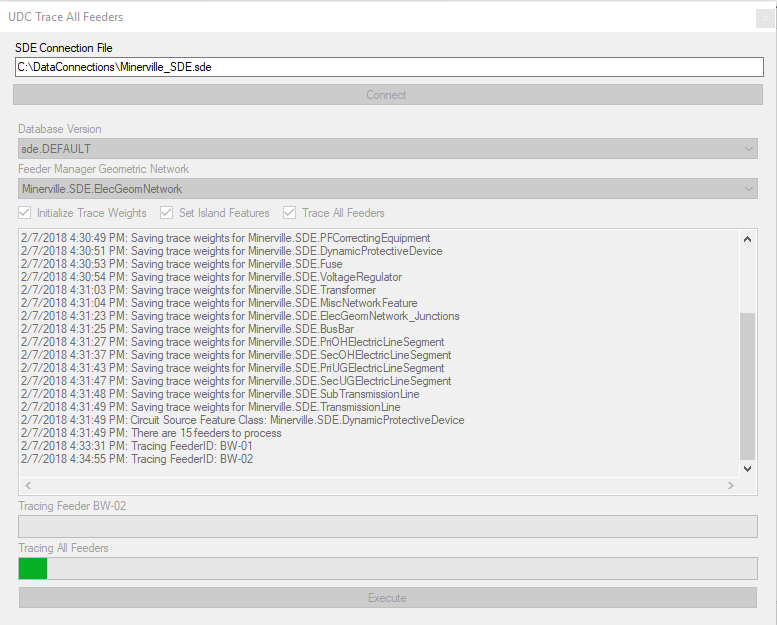
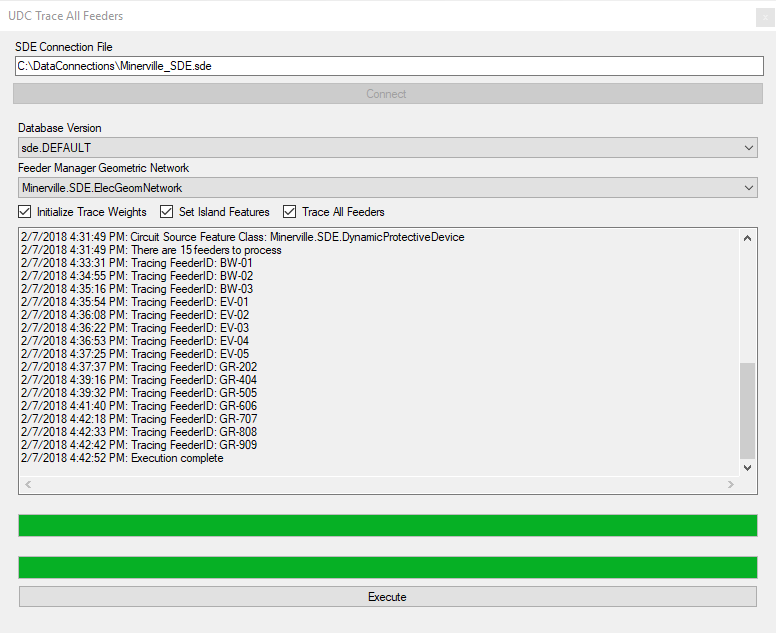
3) Traces feeders for all circuit sources that were determined to be valid in step “1” above.
- Logging is provided for each feeder that is traced regarding the source feature
- Trace the feeder utilizing the ArcFM trace a feeder functionality
- If any errors are encountered, then the error is reported and the trace for that circuit is rolled back and tracing for the remaining circuits continues. This ensures that all feeders get traced and any feeders that failed can be traced manually after resolving the issue that is preventing that feeder from tracing.
- If no errors are encountered, then save the edits for that trace
- Compress the database
Multi-project Application
Since first implementing the UDC Trace All Feeders tool, we have used it on multiple projects including the ArcFM Feeder Manager 2.0 with Geodatabase Manager (GDBM) roll out project for our Midwest Utility client. In a live system with real processing, it was able to detect any problem, log it, and move on rather than stopping as the standard tool does. The utility is able to clean up their feeders in production after the initial setup which directly follows their business model. Using the UDC tool, they are able to get the data in and then clean up on demand. The Outage Management System (OMS) is driven by their GIS data, so the feeder management and QA/QC needed to be put in place, regardless of the current state of the data.
The customized UDC Trace All Feeders tool is a good fit for cases where the utility would like to implement the technology but may not have 100% compatibility with the ArcFM expected network features. For our Midwest Utility client, using the tool was not an indicator of bad data – they were producing valid GIS data. Feeder Manager simply required certain things to happen or not happen in the data that were not initially compatible. Utilizing the UDC Trace All Feeders tool allowed us to put the technology in place and do a slow transition per circuit, rather than a massive Conflation process as part of the release, which fit our client’s business model perfectly.
Want more information on UDC’s Trace All Feeders tool or other UDC tool solutions for your utility? Let us know.